


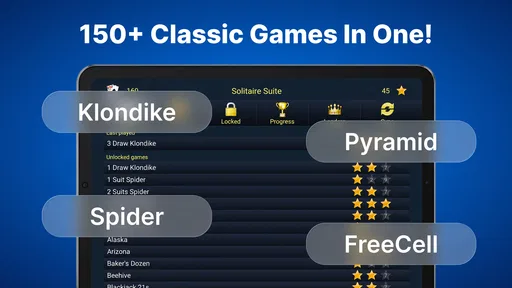
150+ Classic Card Games Pack
4.411.10K Reviews
App Specs
- Version
- 7.48.0
- Updated On
- License
- Free
- Downloads
- 5,000,000+
- Developer
- Classic Card Game
- Categories
- Card
- Platform
- Android
Screenshots

 Analysis by AppCompare
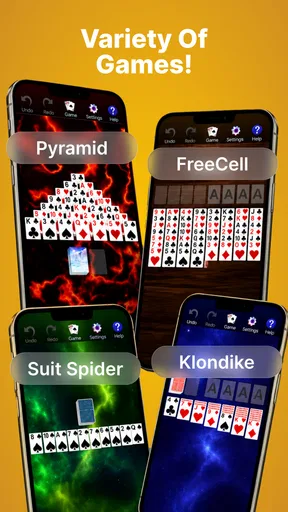
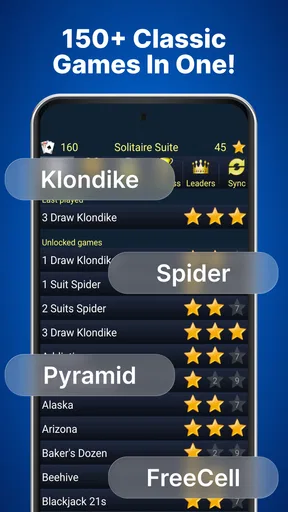
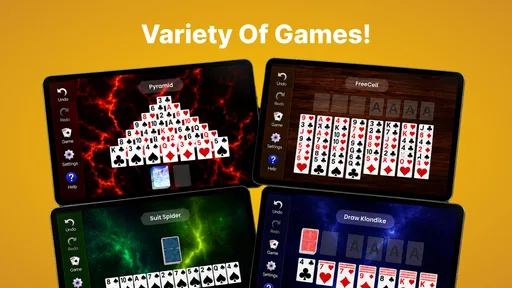
I spent time with Classic Card Games Pack as a straightforward way to play familiar card games on a phone, and what stood out first was its practical focus. This is a card game collection from Classic Card Game, built around recognizable formats rather than a single new concept. The selection includes Solitaire, Spider, and FreeCell, with offline play making it useful when I want something dependable without relying on a connection.
That simplicity is the main reason I can imagine recommending it. I do not need to learn a complicated interface or commit to a long multiplayer session. I can open it for a short break, play a few rounds while travelling, or return to it when I want a quiet mental exercise. At the same time, a collection of classic games is not automatically ideal for everyone. The experience depends heavily on how comfortable you are reading cards on a small screen, tapping accurately, and accepting a traditional solo format.
How the collection feels to use
I find the collection most useful when I treat it as a small shelf of familiar solo games, rather than expecting one card game to suit every mood. That choice lets me match a quick break to a simpler round or save a more thoughtful format for when I can focus. From there, the practical question is how that flexibility fits into an ordinary day.
Readability and navigation
The strongest part of this game is the familiarity of its core formats. Solitaire, Spider, and FreeCell already have rules that many players know, so the app does not need to teach an entirely new system before becoming useful. That matters for people who want a low-pressure pastime. I could concentrate on arranging cards and planning moves instead of decoding an unfamiliar menu structure or learning a fictional theme.
The collection’s broad approach also gives it more staying power than a single basic Solitaire title. When one format starts to feel repetitive, switching to Spider changes the planning rhythm, while FreeCell rewards a different kind of foresight. I see this as a good fit for someone who wants variety but does not want several separate card apps taking up attention or storage space.
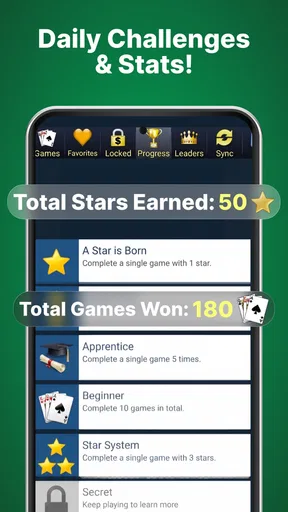
Navigation is easiest when I treat the app as a compact game shelf rather than expecting a deep progression system. I choose the style of card game I want, settle into a round, and stop when I am done. That short path is valuable for casual players and for anyone who finds busy game hubs tiring. The trade-off is that players looking for a highly customized dashboard, extensive social features, or a strong sense of progression may find the collection plain.
For readability, the card-based design has an obvious advantage: the symbols and suits carry meaning that is already familiar. I do not have to interpret decorative icons to understand the basic state of a hand. Still, a phone screen remains a phone screen. Players with reduced vision may need to adjust their device’s display settings or choose a larger-screen device to make card ranks and suits easier to distinguish. I would test a few rounds before relying on it for long sessions, especially if small text or crowded layouts usually cause eye strain.
Worth Reading Before You Choose

EA SPORTS FC Mobile 26 Is a Bigger Football Game, but It Takes Time

Flipboard Shows What News Apps Must Do Beyond the Feed

Switching to Android Auto Means Rethinking Your Driving Routine

Google Calendar Makes a Crowded Week Easier to Manage

Ludo King Makes the Most of the Minutes Between Plans

Baby Panda World Brings Quick Play to Modern Phones, but Its Game Library Feels Busy
One useful habit is to choose the game according to the kind of attention I have available. A familiar Solitaire round works well when I want a simple routine, while FreeCell is better when I am willing to plan several moves ahead. Spider can feel more demanding because the arrangement becomes harder to manage as the patterns develop. This is not just a question of difficulty; it is also an accessibility choice. Matching the game to my concentration level makes the collection feel more comfortable than randomly starting the most complex option.
Motor and sensory considerations
Card games are often gentler on the hands than action games, and this collection benefits from that basic format. There is no need for rapid camera control, constant movement, or split-second combat input. For me, that makes it suitable for relaxed play while sitting on a train, waiting at an appointment, or winding down at home. The interaction is based on selecting and arranging cards, so the physical demand is generally modest.
That does not mean every player will find the controls effortless. Card games involve repeated taps and sometimes precise selection. Someone with tremors, limited dexterity, or difficulty holding a phone steady may find an occasional mis-tap frustrating. The smaller the screen, the more noticeable that problem becomes. I would use a stable surface rather than trying to play one-handed while walking, since stability improves both accuracy and comfort.
The sensory profile is calmer than that of a typical arcade game. There is no need to follow rapid visual effects or loud action cues to understand what is happening. That makes it a reasonable option for people who prefer quiet, predictable entertainment. However, a calm presentation should not be confused with universal ease. Players who have trouble distinguishing suits, ranks, or closely placed cards may still face a visual barrier even when the game itself is not visually intense.
A practical approach is to play in short sessions and check whether the card layout remains comfortable. If I notice myself leaning toward the screen, losing track of suits, or tapping the wrong card repeatedly, that is a sign to change the environment rather than simply push through. Better lighting, a larger display, and a supported phone position can make a bigger difference than switching between the included games.
Another trade-off is cognitive rather than physical. Familiar rules reduce the learning burden, but the games still require attention and memory. Spider and FreeCell can become mentally tiring when I am trying to preserve several possible moves at once. That can be enjoyable when I want a puzzle, but it is less suitable when I am already fatigued or looking for completely passive relaxation. Solitaire is usually the easier entry point for that situation.
Situational access and offline usefulness
The offline option is one of the most practical parts of the package. I can see myself using it on a flight, in a waiting room with unreliable signal, or during a commute where I do not want to spend mobile data. It also makes the game useful in places where online multiplayer is inconvenient. I can begin and finish a round on my own schedule, without waiting for another player or worrying about a match ending while I am interrupted.
This works particularly well for short, irregular sessions. If I have five minutes, I can play until I need to put the phone away. If I have longer, I can move from one card style to another. That flexibility is more valuable to me than a large amount of content that requires a fixed daily routine. It also makes the app a reasonable choice for people who want a familiar distraction while travelling or for those who prefer not to create a social gaming commitment.
The collection can also suit different levels of confidence. A person returning to card games after years away can begin with the most familiar format, while a more experienced player can use Spider or FreeCell for a greater planning challenge. I would not describe it as a teaching tool in the formal sense, but the familiar rules make it approachable. A friend who already knows traditional card games could start quickly, while a beginner may need to spend some time understanding the objective of each format.
Its age rating is Teen, so I would keep that in mind when choosing it for a younger player. The game’s subject matter is traditional card play, but the rating is still part of the product information a parent or guardian should consider. I would also review any purchase prompts before handing the phone to someone else, particularly if the device is shared.
The game is free to install, which lowers the barrier to trying it. There are in-app purchases ranging from $1.99 to $69.99 per item, so I would not assume that every optional element is included without cost. For my own use, the sensible approach is to start with the free experience and decide whether the collection meets my needs before spending anything. Anyone managing a child’s device or a shared payment method should be especially careful with purchase settings.
Where the experience still creates barriers
The biggest limitation is that the collection stays close to the traditional solo card-game model. That is a strength for people who want calm, familiar play, but it may feel limited to anyone seeking live opponents, chat, tournaments, or a strong community layer. If my main reason for downloading a card game is social competition, I would look for a dedicated multiplayer alternative instead.
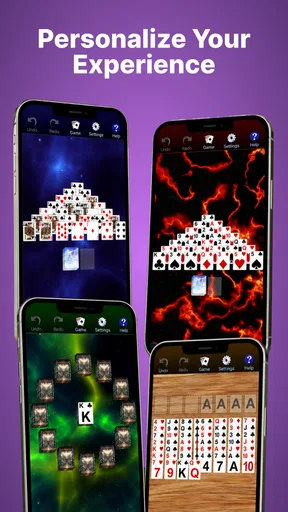
There is also a difference between having several games and having deep customization. A variety pack gives me more formats, but it does not necessarily solve every preference related to card size, contrast, input behavior, or visual presentation. Since those details can strongly affect accessibility, I would judge the app by actual comfort on my device rather than by the number of included modes.
Players who dislike repetition may reach the limits sooner than fans of classic card games. The appeal comes from replaying familiar structures and improving decisions, not from an unfolding story or a constant stream of new environments. I enjoy that kind of repeatable design when I want something predictable, but I would skip it if I need novelty, narrative rewards, or frequent content changes to stay interested.
Another possible source of friction is the small-screen context itself. Even a well-known card layout can become tiring when the phone is held at an awkward angle or used under poor lighting. This is especially relevant for older players or anyone with visual or motor difficulties. I would recommend trying the game on the largest comfortable screen available and using a stand during longer sessions. That does not change the software, but it can make the interaction much more manageable.
There is a similar issue with interruptions. Offline play makes the collection convenient, but a solo round can still be mentally inconvenient to abandon halfway through a carefully planned sequence. I would use Solitaire for fragmented time and save FreeCell or Spider for moments when I can concentrate. That small choice prevents the game from becoming frustrating simply because the timing is wrong.
How it compares with usual alternatives
Compared with a single-game Solitaire app, this collection has the clear advantage of variety. I get access to several classic formats instead of being locked into one rule set. That makes it better for someone who knows they enjoy card games but is not sure which style they want on a particular day.
Compared with a modern online card platform, it is more private and less demanding. I do not need to coordinate with opponents, maintain a competitive identity, or depend on a reliable connection for the basic experience. The cost of that calm is reduced social energy. Players who want rankings, live pressure, or interaction with other people will probably prefer a multiplayer-focused product.
Compared with playing physical cards, the app is more convenient but less tactile. I do not need a table, a deck, or enough space to lay everything out. That is excellent for travel and quick breaks. On the other hand, someone who values the feel of real cards, face-to-face conversation, or shared family play may find a phone screen too solitary.
The developer, Classic Card Game, has kept the concept focused rather than turning it into a broad entertainment platform. That focus helps the app remain approachable, but it also means I would not choose it as a replacement for every kind of card experience. It is best understood as a portable collection for solo sessions, not as a complete social card room.
Who should try it and who should skip it
I would recommend it to people who already enjoy Solitaire, Spider, or FreeCell and want them together in one free package. It also makes sense for travellers, commuters, and anyone who needs an offline pastime that can be paused between everyday tasks. The low learning curve of familiar card rules is another reason I would suggest it to a friend who wants a quiet game rather than a demanding new hobby.
I would be more cautious about recommending it to players with significant difficulty reading small card symbols or making repeated precise taps. It may still work with a larger display and a supportive setup, but I would test it first rather than assume it will meet every need. I would also point competitive multiplayer fans toward a different category of card game, since this collection’s appeal is its solo simplicity.
The app has been available since December 26, 2012, and its staying power is reflected in a broad audience: it has passed five million installs, with an average rating of 4.4 from around sixty thousand ratings. Those figures suggest that the classic formula connects with many players, although popularity does not remove the personal questions of comfort, control, and preferred play style.
My inclusive verdict
After using it as a quiet, flexible card collection, I see Classic Card Games Pack as a sensible choice for familiar offline entertainment. Its best accessibility quality is not a special claim or complicated feature; it is the way traditional rules, low-pressure pacing, and multiple solo formats let me choose an experience that matches my attention and energy.
I would start with Solitaire, play on a supported device, and check the card readability before committing to longer sessions. If the display feels comfortable, Spider and FreeCell add useful variety without requiring another download. I would also remember that the free entry point includes optional purchases, so I would review those carefully on a shared device.
The current version is 7.47.7 and supports Android 7.0 or later, which is helpful for people using an older compatible phone. My final view is positive but specific: this is not the right app for everyone, yet it is a strong fit for someone who wants several recognizable card games, offline access, and a calm experience that can adapt to short gaps in the day. Its real strength is dependable simplicity, while its main weakness is the lack of a richer social or deeply customizable layer.
Pros
- Includes over 150 classic card games in one app.
- Offers a wide variety of solitaire and traditional card formats.
- Works well for quick offline games during travel or downtime.
- Simple controls make most games easy to learn and play.
- Useful choice for fans of classic card games without extra downloads.
Cons
- The large game selection can make finding a specific title difficult.
- Some games may feel repetitive after extended play sessions.
- Visual design is functional but may seem dated to some players.
- Advanced players may find the computer opponents predictable.
- Ads or optional purchases may interrupt the otherwise simple experience.
FAQs for 150+ Classic Card Games Pack
What is 150+ Classic Card Games Pack?
150+ Classic Card Games Pack is a mobile collection that brings together a large variety of traditional card games in one app. Depending on the available version, you can usually find familiar titles such as Solitaire, Spider, FreeCell, Klondike, Hearts, and other regional or casino-style games. It is designed for casual play, making it convenient for users who want many card-game options without installing each title separately.
Does 150+ Classic Card Games Pack work offline?
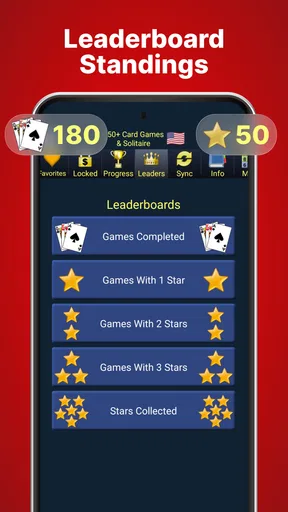
Many games in 150+ Classic Card Games Pack can be played offline, which is useful when traveling, commuting, or using the app in areas with limited connectivity. However, some features may still require an internet connection, including advertisements, updates, online leaderboards, cloud synchronization, or analytics. It is worth opening the game once while connected and checking the individual game modes before relying on it without mobile data.
Is the app suitable for beginners as well as experienced card players?
Yes, the collection is generally suitable for both beginners and experienced players because it offers games with different levels of complexity. Familiar titles such as Solitaire or FreeCell are easy to understand, while more strategic games may require practice and knowledge of specific rules. Before starting, review the instructions and settings for each game, since rules, scoring systems, and available variations can differ.
Are there advertisements or in-app purchases in 150+ Classic Card Games Pack?
The free version of a large card-game collection may include advertising, particularly between rounds or when returning to the main menu. Depending on the release and platform, optional purchases may be offered to remove ads, unlock extra features, or provide additional customization. Check the app-store listing and purchase screen carefully before confirming anything, especially if the device is shared with children or other family members.
What should I check before downloading 150+ Classic Card Games Pack?
Before downloading, check that your phone or tablet meets the listed Android or iOS requirements and has enough free storage for the app and future updates. Also review the developer name, recent user ratings, privacy information, permissions, and whether the version is still actively supported. Because similarly named card collections may exist, use the official store listing and avoid unofficial download files that could pose security or compatibility risks.


